Build a visual path from submission to action
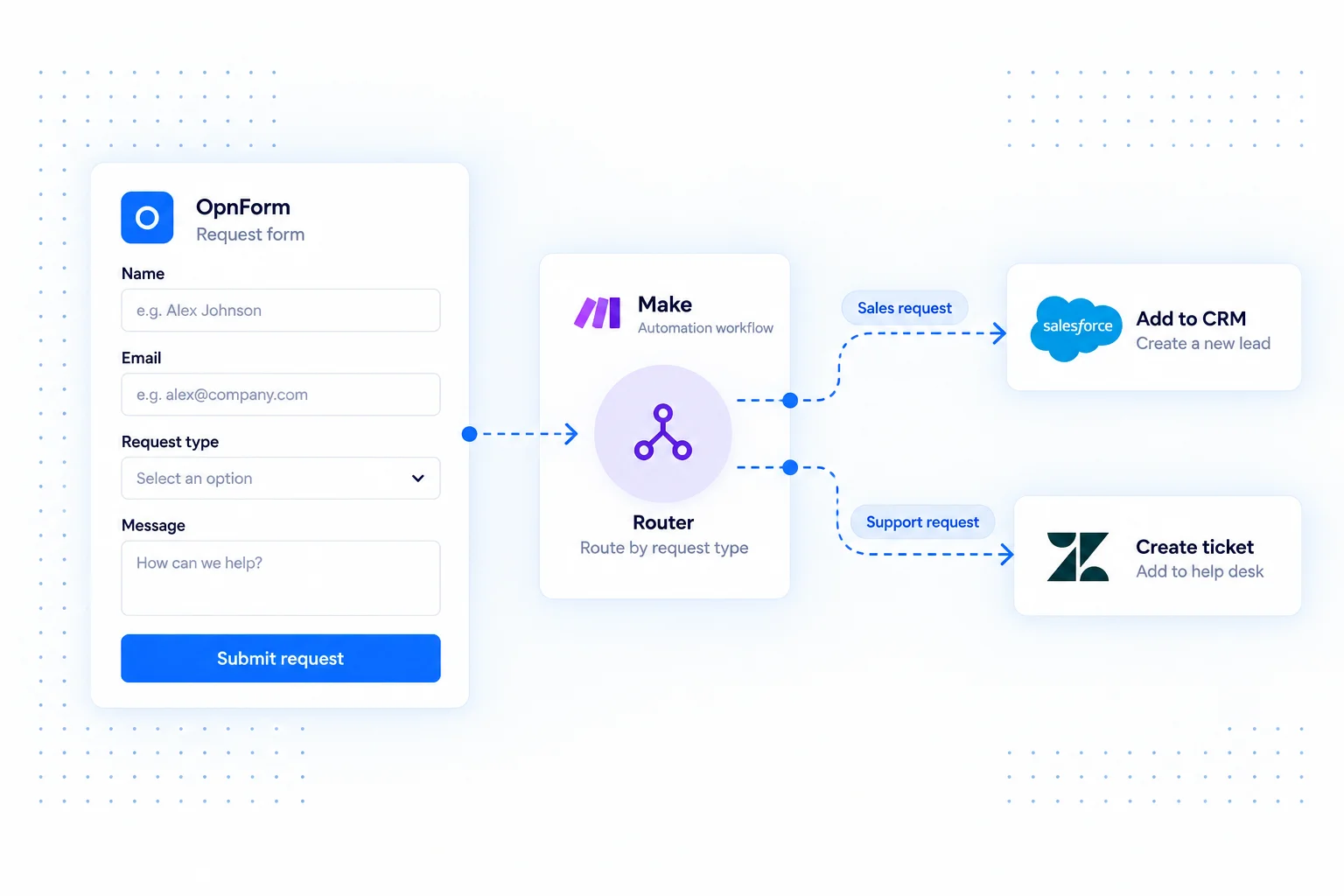
Connect OpnForm to a Make scenario when one response needs to reach several tools or follow different paths. Treat the submission as an input, then use the scenario to map, transform, and route its data.
This is especially useful when the next step depends on a respondent's choices. Keep the questions in OpnForm and define the downstream branches in Make.
Make integration use cases
Separate sales and support inquiries
Collect the request type in one form. Build scenario routes that send a sales inquiry to a CRM and a support request to a help desk, using the actions available in your connections.
Prepare event registrations
Send attendee details to a spreadsheet, then add the follow-up steps your event needs. Map session choices into the destination format so organizers can work with consistent information.
Transform data before creating a record
Combine response values or normalize a date before passing it to a destination app. Use a sample response to check that the resulting fields match the destination's requirements.
Connect OpnForm to Make
Start from the OpnForm integration in Make.
- Open the OpnForm app invitation for Make and add the app to your Make account if required.
- Create a scenario and configure the submission trigger, or use a receiving webhook for your chosen setup.
- Capture a sample response and map its fields into your modules and routes.
- Run a test through each route, inspect the destination records, and activate the scenario.
Build a dependable workflow
Use one explicit field to drive routing, and define what should happen when it is empty or unexpected. Check each branch with a different sample submission. Monitor scenario execution history when troubleshooting the handoff. Actions, execution limits, and account requirements depend on your automation provider and its connected apps.
Common questions
Can I connect through a webhook?
A Make receiving webhook can provide another entry point. Add its URL to OpnForm's Webhook Notification integration, then use a sample payload to configure the scenario.
For direct API delivery, see webhooks. For workflow logic around internal systems, explore n8n.